
AI Chatbot
Customize
The Customize tab lets you control the chatbot's appearance and messaging to match your brand.
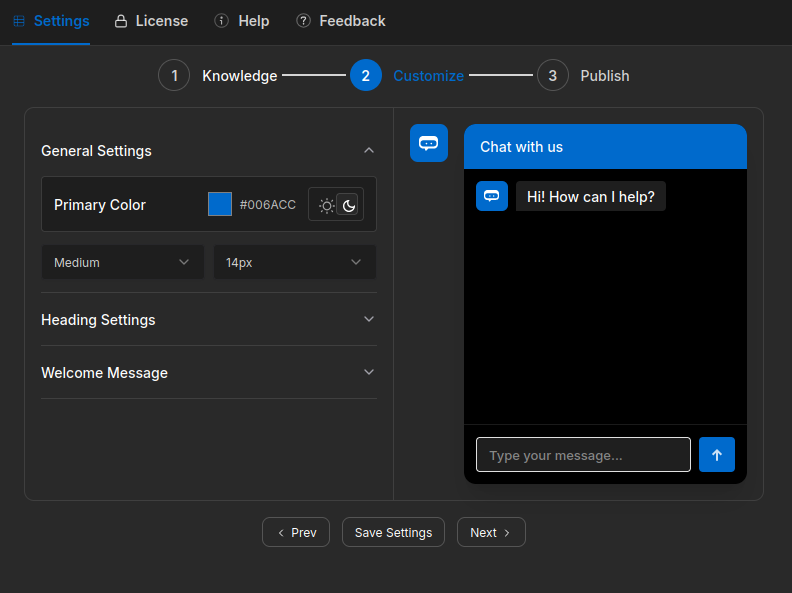
How to customize
- Open the Customize tab.
- Adjust the settings below.
- Click Save. Changes reflect on your live site immediately.
Appearance
| Setting | Description |
|---|---|
| Primary color | Main accent color for the widget — buttons, highlights |
| Theme | Light or dark mode |
| Font family | Font used in the chat widget |
| Font weight | Weight of the chat text |
| Font size | Size of the chat text |
Messaging
| Setting | Description |
|---|---|
| Header title | Name shown at the top of the chat widget |
| Welcome message | First message visitors see when they open the chat |
| Input placeholder | Hint text shown inside the message input field |
A live preview updates as you make changes so you can see the result before saving.