
AI SEO Boost
Getting Started
AI SEO Boost is a Webflow Designer Extension that helps you improve on-page SEO, generate content, manage alt text, and monitor links without leaving the Designer.
Installation
Step 1: Open the Apps Panel in Webflow
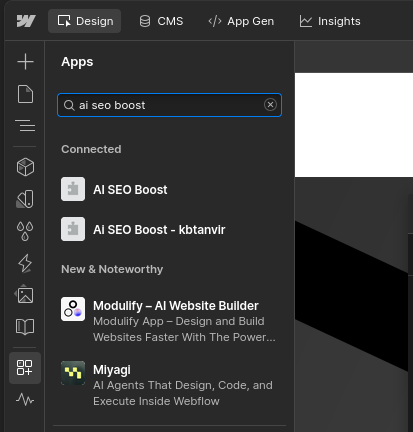
Navigate to your Webflow Designer, then click on the Apps icon located in the left sidebar.
Step 2: Search for AI SEO Boost
In the Apps panel, use the search bar to look for AI SEO Boost. Once it appears in the results, click on it to open the app page, then click Install to add it to your project.
Step 3: Open the App
After installing, the app will appear in your Apps panel. Click on it to open it inside the Designer.
Activate Your License
Most features require an active license key.
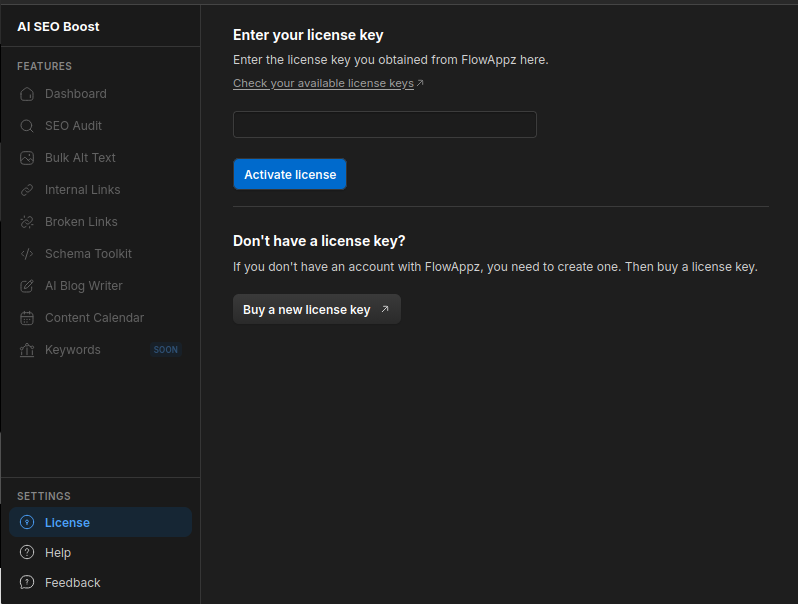
- Open the License section from the sidebar.
- Paste your license key into the input field.
- Click Activate license.
If you don't have a license key yet, use the Buy a new license key link on the License page to get one from the FlowAppz dashboard.
AI Credits
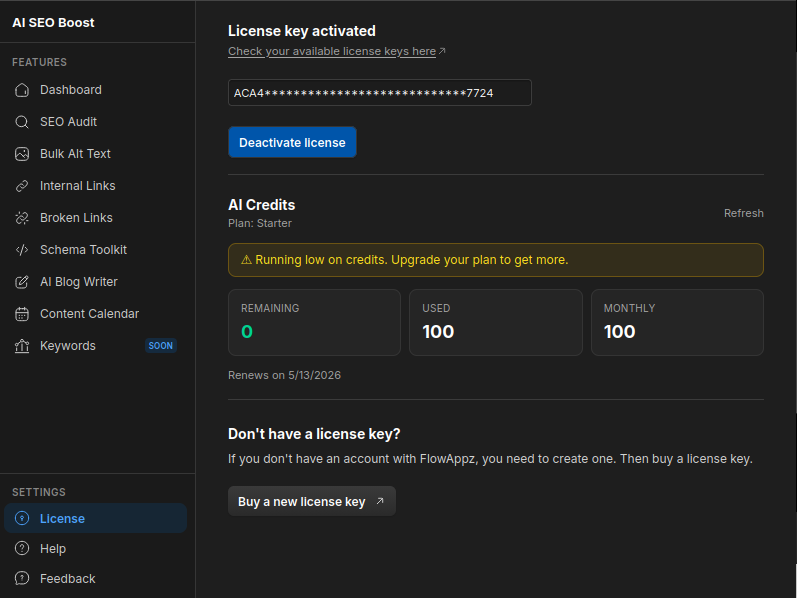
AI-powered actions consume credits. Your credit balance is shown on the License page with a breakdown of remaining, used, and monthly credits. Click Refresh to update the balance.
Navigating the App
Use the sidebar to switch between features:
- Dashboard — overview of your site's SEO health
- SEO Audit — on-page audit and fix suggestions
- Schema Toolkit — generate and apply JSON-LD schema
- Bulk Alt Text — AI-generated alt text for all site images
- AI Blog Writer — generate and publish blog posts to Webflow CMS
- Internal Links — discover and apply internal linking opportunities
- Broken Links — detect broken, redirected, and timed-out links
- Content Calendar — schedule and manage CMS content
- Keywords — track target keywords and competitors
- License — manage your license key and credit balance